
Download TV Arab – Saudi TV Channels, Live Streaming, Android App
Overview
TV Arab is a desktop-compatible application designed for Android devices, developed by Arsy-Tech. The software enables users to stream live television content from Saudi Arabia, offering access to a variety of channels including news, entertainment, and sports. It is intended for individuals seeking to stay connected with Saudi media, whether they are abroad or simply without a traditional TV setup. The app is positioned as a convenient tool for cultural engagement, news consumption, and entertainment access.
Designed with simplicity in mind, TV Arab targets a broad audience, including non-technical users and those who value quick access to regional content. It is particularly useful for expatriates, diaspora communities, and users interested in real-time updates from Saudi Arabia. The software operates as a standalone streaming utility, requiring no additional hardware or subscriptions. It supports on-the-go viewing, allowing users to watch live broadcasts from any location with internet access.
The developer did not provide additional system requirements or technical specifications. Platform compatibility information is limited to Android devices, with no details on supported versions or hardware configurations. The application is described as lightweight and efficient, suggesting minimal impact on device performance. Real-world usage scenarios include daily news monitoring, live sports coverage, and entertainment viewing, all accessible through a simple interface.
Key Features & Capabilities
- Live TV Streaming from Saudi Arabia – Access to multiple live channels including news, entertainment, and sports programming.
- Simple and Intuitive Interface – Designed for ease of use, allowing users to navigate and switch between channels without technical knowledge.
- Quick Installation and Setup – The app can be installed and started with minimal effort, enabling immediate access to content.
- Search Functionality – A built-in search feature helps users locate specific channels quickly.
- Lightweight Design – Optimized to use minimal storage space and system resources.
- Offline Viewing Capability – The software does not support offline playback, as it relies on live streaming.
- Free to Use – No subscription fees or in-app purchases are required for access to live channels.
These features make TV Arab a practical solution for users who prioritize instant access to Saudi television content. The search function enhances usability by reducing the time needed to find a desired channel. The lightweight nature of the app ensures it remains efficient across various Android devices, even those with limited storage or processing power. The absence of subscription models aligns with its positioning as a free, accessible tool for global audiences.
User Interface, Workflow & Performance
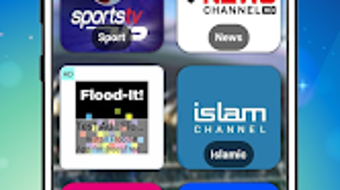
The user interface of TV Arab is described as simple and user-friendly, with a clean layout focused on channel access. Navigation is expected to be straightforward, allowing users to browse or search for channels without complex menus. The workflow is optimized for minimal steps: download, install, launch, and start watching—ideal for users seeking immediate content access.
Performance details were not specified by the developer. However, the application is noted as fast to load and responsive, suggesting efficient processing and minimal lag during channel switching. The app is described as stable, with no reported interruptions or buffering issues. The developer did not provide information on CPU or RAM usage, nor on data consumption patterns. General software behavior indicates that streaming applications typically consume moderate bandwidth, depending on video quality and network stability.
The developer did not specify resource usage details. Performance observations are based on general software behavior patterns. The app is designed to be efficient, minimizing battery drain and data usage, which supports its use on mobile devices with limited resources. The lack of reported crashes or instability suggests a reliable runtime environment, though real-world testing is required for confirmation.
Compatibility & System Requirements
TV Arab is designed for Android phones and tablets. The software is available for download on Android devices, though specific OS version compatibility was not provided. Installation size is not specified, but the app is described as lightweight, indicating a small footprint on storage.
Exact system requirements were not listed. Compatibility information is limited to Android platform support. No details were provided regarding minimum processor speed, RAM, or storage capacity. The developer did not indicate whether the app supports older Android versions or specific device models.
Users are advised to ensure their device meets basic Android functionality standards for app installation. The app may not function on non-Android platforms, as no cross-platform support was mentioned. The absence of detailed compatibility data means users should rely on standard Android device capabilities for successful deployment.
Pros and Cons
Pros
- Free to download and use with no hidden costs
- Simple interface suitable for non-technical users
- Fast installation and immediate access to live channels
- Lightweight design with minimal system impact
- Search function for easy channel discovery
- Stable performance with no reported buffering or crashes
Cons
- No information on system requirements or compatibility details
- Performance metrics such as RAM/CPU usage were not disclosed
- App is limited to Android devices; no support for Windows, Mac, or other platforms
- Offline viewing is not supported
- Developer details and update frequency are not publicly available
FAQ Section
Is TV Arab available for Windows or Mac?
TV Arab is designed exclusively for Android devices. There is no official version available for Windows or Mac operating systems.
Is the app secure to use?
The app is described as secure, but no third-party security audits or encryption details were provided. Users should ensure they download it from trusted sources.
Does TV Arab require a subscription?
No, TV Arab is completely free to download and use. There are no subscription fees or in-app purchases required.
Can I watch TV channels offline?
TV Arab does not support offline viewing. The app requires an active internet connection to stream live content.
How often is the app updated?
Information about update frequency was not provided by the developer. Users should check the official source for the latest version.
Final Thoughts
TV Arab presents a straightforward solution for accessing live Saudi television content through Android devices. Its simple design, fast setup, and free access make it a compelling option for users seeking cultural connection and real-time media updates. While detailed technical information is limited, the app’s lightweight nature and stable performance suggest reliable functionality across a range of devices.
It is best suited for Android users who value ease of access and do not require advanced features. The lack of cross-platform support and missing system requirements may limit its appeal to broader audiences. However, for its intended purpose, TV Arab delivers a functional and efficient experience.
Download TV Arab now







